

Browse docs
Order confirmation and what members receive
The confirmation page, the emails that go out, and what a family sees afterwards in My Account.
Payment succeeded; here's everything the family sees next, so you know what "did you get the email?" conversations are actually about.
Your site may use different words. Tempo lets you rename class, student and teacher under Settings → Branding & vocabulary; these docs use the defaults.
The order-received page
Straight after payment, the member lands on the order-received page topped with Tempo's "Booking confirmed" panel: one card per booking (class, student, dates), with View bookings and Book another buttons, above WooCommerce's own order details. It works with both classic and modern block themes.
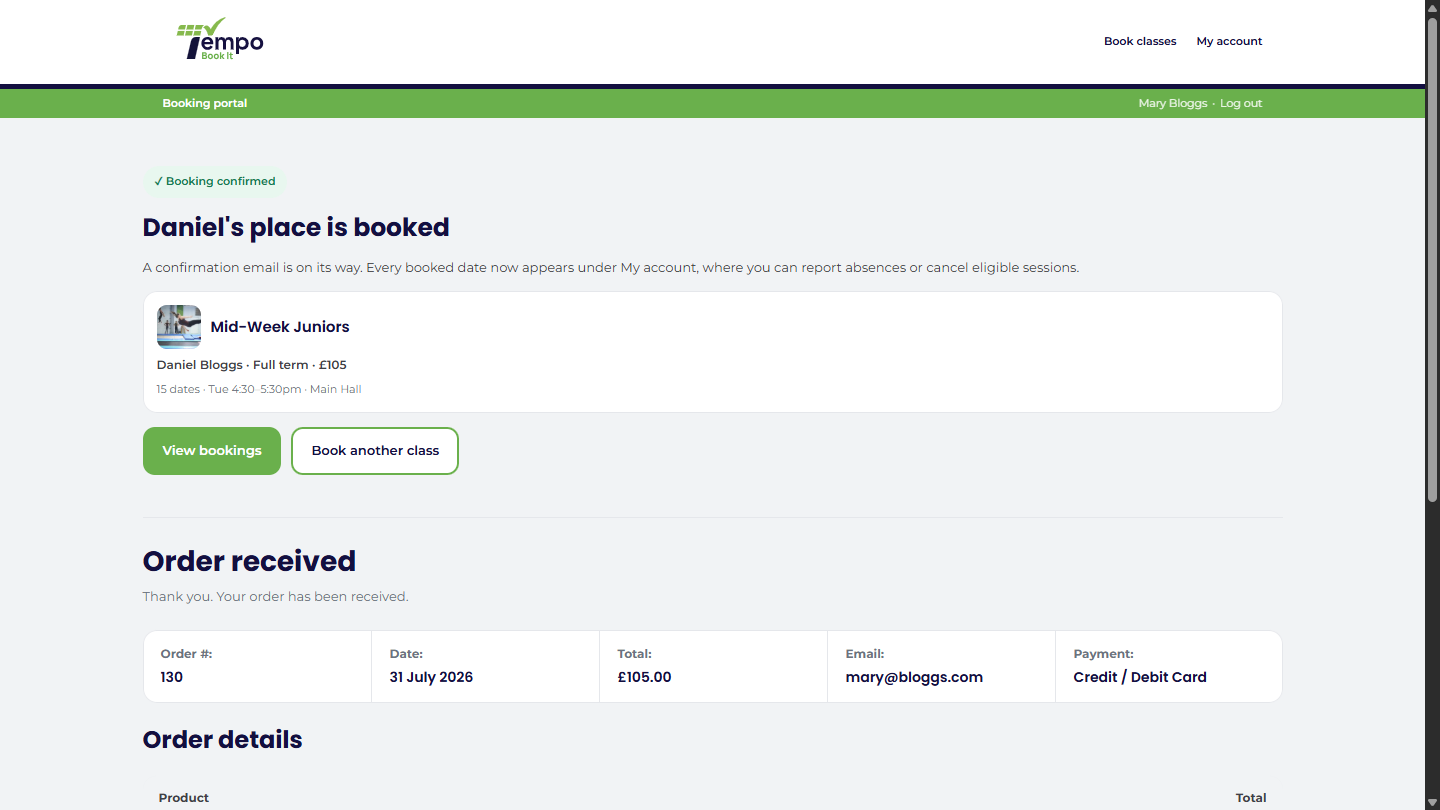
If the order is *not* yet paid (pending payment, on hold, or a failed card), the page instead says the places are still held and names the exact time the hold runs out, because once they've left checkout that countdown is otherwise invisible.
The emails
On confirmation, Tempo sends the booking confirmation email: class, student, dates and totals, wrapped in your site's WooCommerce email branding, with your own editable introduction on top. Staff who've opted into the bookings category get a staff copy. Every send is recorded in the send log. The email system, and what you can edit versus what's locked, is covered in How Tempo emails work.
WooCommerce may also send its own standard order email depending on your shop settings; families with a normal shop-and-club site see both behave consistently.
Afterwards, in My Account
The booking appears immediately under My Account → Bookings, listed as upcoming, searchable, with its dates and status. From there the family can cancel within your deadline, report an absence, or just check "what time is it again?" at 8am on a Saturday. The full tour is in The My Account area, tab by tab.
An unpaid manual booking shows there too, marked "Awaiting payment", which quietly does your chasing for you; see Manual bookings.
When something doesn't arrive
The usual suspects, in order:
- Spam folder (the classic).
- The address on the parent's account is wrong or stale.
- The site's email deliverability generally; check Tempo → Dashboard → System health → Email sending, which surfaces failed attempts from the last 7 days.
The send log (Tempo → Emails → Send log) shows every attempt, so you can say with confidence whether the mail was handed off. Deliverability beyond that point is a hosting matter; an SMTP plugin usually settles it. See Emails not arriving.
Thanks. That helps us improve these guides.
Thanks for letting us know. Ask us on the Support page and we'll help directly.