

Browse docs
Member cancellations and the deadline
What members can cancel themselves, what they get back, and where the line is drawn.
Members handle their own routine cancellations, inside rules you set. This keeps the office out of the "Freya can't make Thursday" business entirely, while anything exceptional still comes through you.
Your site may use different words. Tempo lets you rename class, student and teacher under Settings → Branding & vocabulary; these docs use the defaults.
What members can cancel
Individually booked sessions only. On My Account → Bookings, an upcoming single-session booking shows its cancellation deadline and a Cancel this session button while the deadline hasn't passed. Cancelling releases the place immediately (back on sale for someone else) and issues booking credit to the purchaser.
Several dates booked together in one go arrive as one card holding all of them, but each date is still its own commitment with its own deadline. On that card the Cancel action sits on each date row rather than on the card: cancelling one leaves the rest untouched, and a date well in the future stays cancellable even when an earlier date on the same card is already past its cut-off.
Packages can never be cancelled online: not one date of them, not the whole thing. A package was a commitment to the term at a discounted rate; unpicking one is a judgement call, so it's yours, via transfer, credit or refund as the case deserves. Members who ask are told to contact the club.
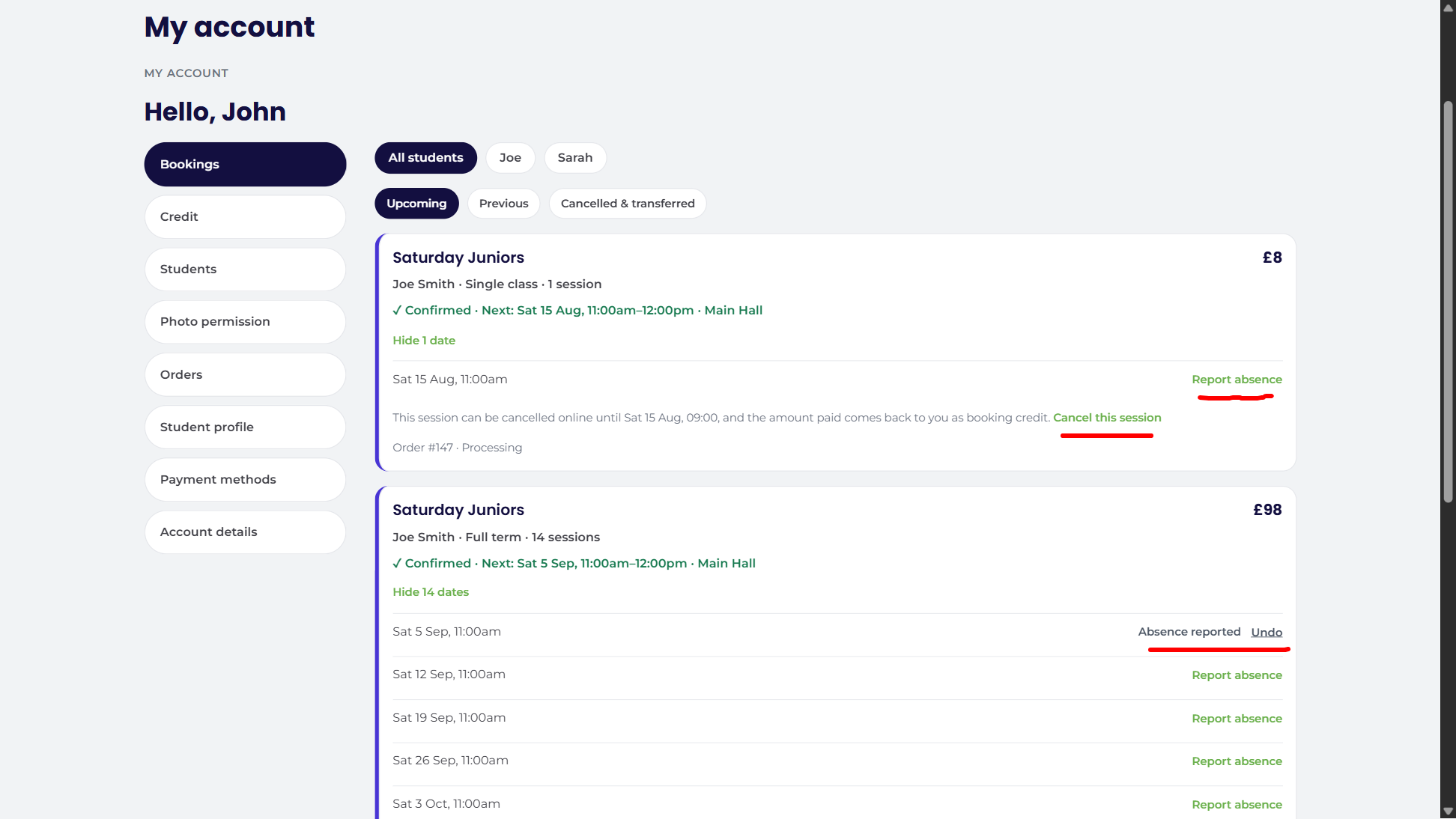
The deadline
The cut-off is your global setting under Tempo → Settings → Booking & checkout, with a per-class override available on any timetable entry (a competition squad might warrant a week's notice while a beginners class needs two hours). The policy line is printed on the booking card itself, so members see the rule next to the button.
After the deadline, nothing is automatic: the button disappears and the member is invited to contact the club. Late cancellations become expected absences or a conversation, at your discretion.
What they get back
Credit equal to what was actually paid for that session, after package pricing and any discounts, never the list price. A session bought inside a discounted package credits at the package's per-session rate, so cancelling can't ever turn a discount into a profit. The credit appears in the purchaser's balance immediately, the place goes back on sale, the member gets a confirmation email, and staff who've opted into cancellation notices get a copy.
Setting your policy
Two dials: the deadline (global plus per-class overrides) and, more culturally, what you tell members about late cancellations. A common pattern: generous self-serve window, absences flagged after it (Expected absences keeps the money and the place but tells the teacher), and credit for genuinely exceptional lateness, issued by staff with a reason. The system supports whatever mix your club calls fair; the audit trail keeps it consistent.
Thanks. That helps us improve these guides.
Thanks for letting us know. Ask us on the Support page and we'll help directly.