

Browse docs
How booking credit works
The club's alternative to refund headaches: where credit comes from, who owns it, and how it gets spent.
When a booking ends early, Tempo's default answer is booking credit rather than a refund: the money stays with the club, the family spends it on the next booking, and nobody spends Tuesday evening doing gateway refunds. This article is the model; the surrounding articles cover each way credit is created and managed.
Your site may use different words. Tempo lets you rename class, student and teacher under Settings → Branding & vocabulary; these docs use the defaults.
Whose credit is it?
Credit belongs to the purchaser: for most families, the parent who paid. It works for any of their linked children, because families think in family money, not per-child wallets. (Parent-managed children can't hold credit themselves; it would be unspendable, so it always sits with the paying parent.)
Lots, expiry and spending order
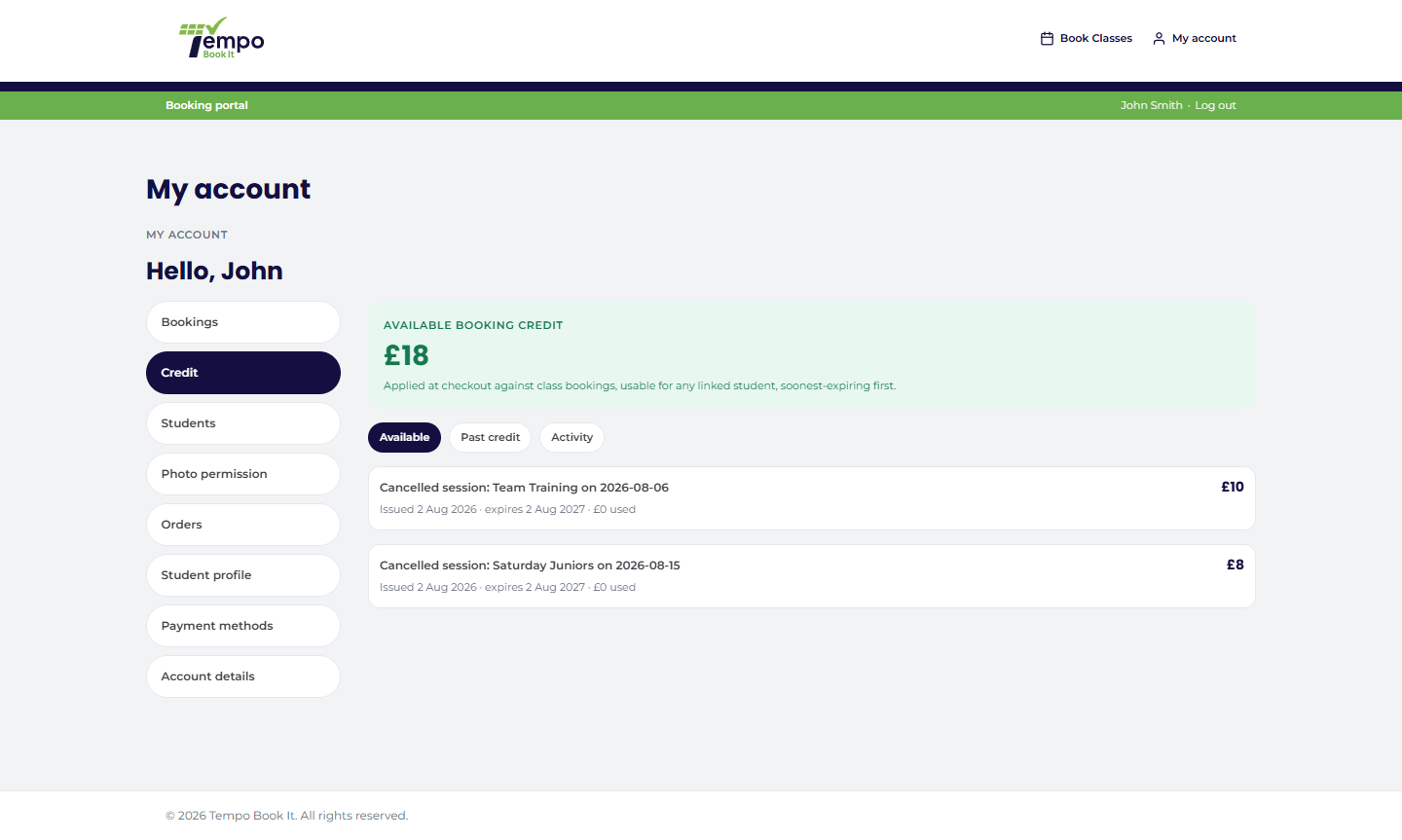
Credit lives in lots. Each lot knows where it came from, how much remains, and when it expires (default 12 months, adjustable in Tempo → Settings). When credit is spent, soonest-expiring lots are used first, automatically, so families lose as little as possible to expiry. A reminder email goes out before a lot expires.
Families see all of this themselves on My Account → Credit: balance on top, then the lots and the full history, with expired credit visible but unusable. What they see is exactly what your office sees, which keeps "where did my credit go?" calls short.
How credit gets spent
At checkout, a purchaser with credit sees an Apply credit box in the booking panel: they choose how much, capped at their balance and the bookings total, and it appears as a negative line in the order totals. With "Encourage credit use" on (Settings → Booking & checkout), available credit applies itself and the member can remove it; an explicit removal is remembered for their session.
The wallet is only actually debited when the order is paid, and if a paid order is later cancelled or fails, the credit comes back automatically, exactly once. Every checkout flow settles identically, however the payment arrived.
Where credit comes from
Four sources, each covered in its own article: a member cancelling a session in time; the club cancelling a session; a downgrade-shaped transfer; and staff adding credit directly as goodwill or compensation.
The golden rule: no double compensation
Every ended booking records how it was compensated. A booking that produced credit can never produce credit again, and can never also be refunded; a refunded booking can never also be credited. This isn't policy you have to enforce; the system makes the double-pay mistake impossible. The full ledger of every movement is append-only and visible in the audit log.
Credit pots, for the clubs that need them
Most clubs have one pot of credit and never think about this section. But where some classes' payments go directly to someone else (a self-employed teacher taking card payments to their own account, through a site-specific payment-routing addon), credit is kept honest about whose money it really is: credit earned from cancelling one of those classes is only spendable on that teacher's classes, and ordinary club credit never part-funds them. My Account breaks the balance down per pot when this applies, the admin Credit screen shows the same, and the liability report separates out what's owed by whom. Without such an addon, every lot is ordinary club credit and nothing here changes.
One consequence worth knowing: while restricted credit exists for a recipient, their name can't be changed on the class; the lots are labelled with the name they were issued under, so the screen refuses the rename and says how many pots stand in the way. Spend or adjust them down first.
The boundaries
Credit is not transferable between purchasers, not exchangeable for cash, and applies to class bookings only. When actual money must go back, that's a refund, deliberately a separate, administrator-only path.
Thanks. That helps us improve these guides.
Thanks for letting us know. Ask us on the Support page and we'll help directly.