

Browse docs
Cancelling a session as the club
When it's your cancellation: per-student outcomes, and an email that never sends itself.
Storm, illness, a flooded studio: sometimes the club cancels. Tempo treats a club cancellation as two separate decisions, because it is two: what happens to each booked student, and what the families are told. Neither happens automatically, and that's the design.
Your site may use different words. Tempo lets you rename class, student and teacher under Settings → Branding & vocabulary; these docs use the defaults.
Cancelling the session
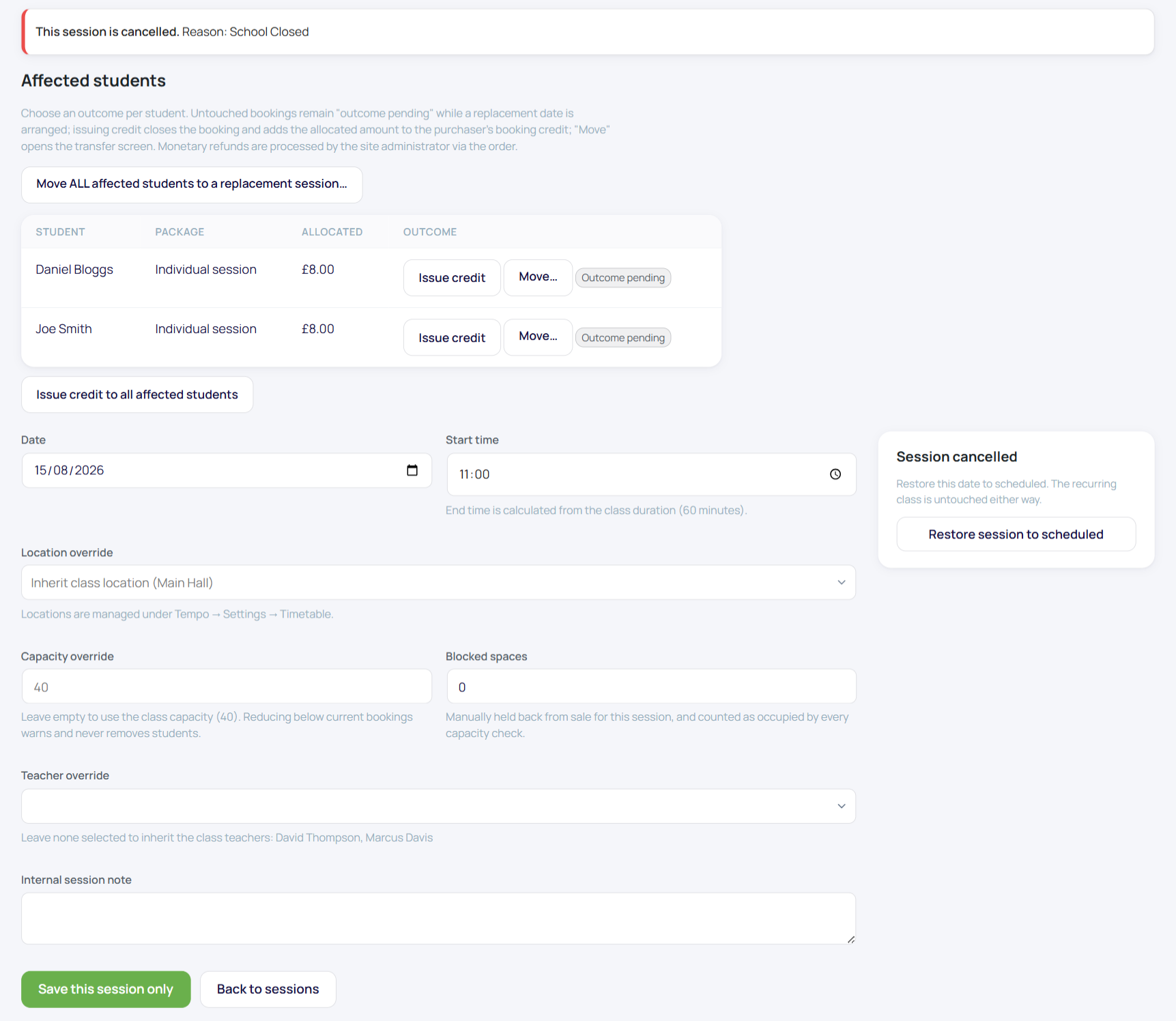
Cancel the date from Tempo → Sessions (Editing individual sessions). The session stops being bookable and appears cancelled; the bookings on it remain, awaiting your decision in the Affected students panel on that session's edit screen.
Deciding each student's outcome
For each booked student (or everyone at once, where it applies):
- Issue credit: closes the booking and credits the purchaser with what they actually paid for that date. The workhorse outcome.
- Move to a replacement session: lands on the transfer screen prefilled, per student or "move ALL affected students" in one go. Right when you're running a make-up date.
- Leave pending: the default; do nothing yet while you arrange a replacement. Bookings stay attached to the cancelled session, visibly awaiting resolution, so nothing gets forgotten.
- A monetary refund, where warranted, runs through the normal administrator-only refund flow.
Double compensation is impossible throughout: a booking credited here can't also be refunded, and vice versa.
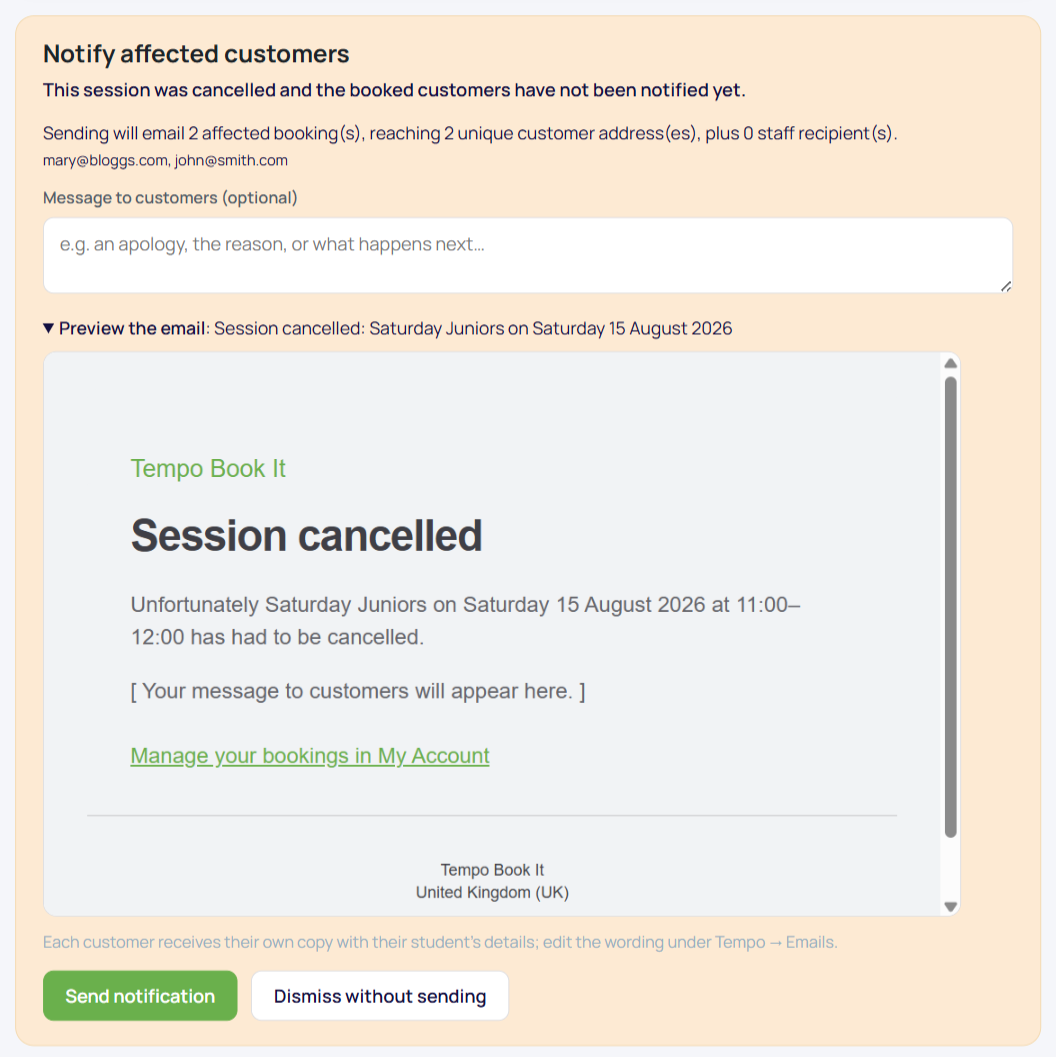
Telling the families: the notify panel
Club cancellation and reschedule notices are never sent automatically. The session's notify panel shows you the email first: who will receive it, the details it states, and a box for your own message (the why, and what happens next). You read it, you add the human sentence, you press send. A reinstated session has a matching notice.
This one design decision is why Tempo clubs don't send those "Dear parent, session [null] is cancelled" emails everyone has received from lesser systems.
The tidy sequence, for the fridge door
- Cancel the session.
- Notify the families from the panel, with your message.
- Resolve each student: credit, move, or leave pending while you arrange the make-up.
- If a replacement is arranged later, bulk-move the pending bookings to it (Bulk actions) and the transfer emails carry the new details.
Everything lands in the audit log, and the same flow handles a rescheduled (rather than cancelled) session; see the reschedule notices in Editing individual sessions and the email system.
Thanks. That helps us improve these guides.
Thanks for letting us know. Ask us on the Support page and we'll help directly.