

Browse docs
The danger zone: erasing data, deactivation and uninstall
The three levels of "removing Tempo", from completely safe to deliberately destructive.
Three different things get called "removing the plugin", with wildly different consequences. Here they are from safest to most destructive, so the destructive one can never be an accident.
Your site may use different words. Tempo lets you rename class, student and teacher under Settings → Branding & vocabulary; these docs use the defaults.
Level 1: deactivating (completely safe)
Deactivating on the Plugins screen pauses background jobs and nothing else. Every booking, credit balance, attendance record, consent and audit entry stays put; reactivate and everything resumes. Deactivate freely during troubleshooting.
Level 2: deleting the plugin (safe by default)
Deleting the plugin from the Plugins screen removes the plugin's *files* but, by default, none of its data. Reinstalling later finds everything where it was; database upgrades run automatically and no reinstall ceremony exists.
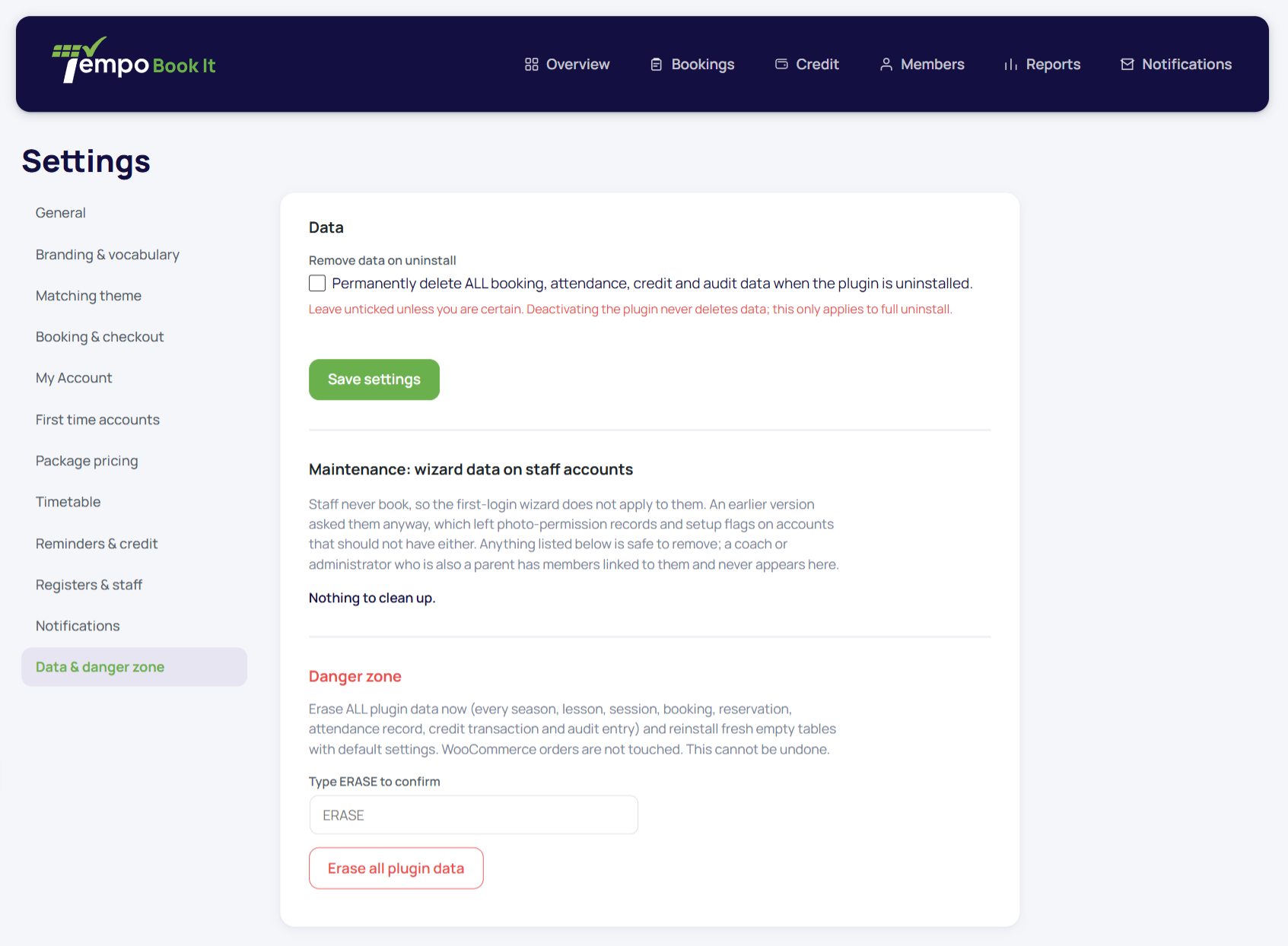
The exception is opt-in: if a website administrator first ticked Remove data on uninstall under Tempo → Settings → Data & danger zone, then deleting the plugin also removes its data. The box is off by default, visible only to website administrators, and exists for one honest purpose: leaving a site genuinely clean when Tempo is being removed for good.
Check that box only at the true end of the road. With it ticked, Plugins → Delete is destructive.
Level 3: Erase all plugin data (deliberately destructive)
Tempo → Settings → Data & danger zone → Erase all plugin data resets Tempo to a just-installed state: every term, class, booking, credit lot, consent and audit entry removed, settings reseeded, the setup wizard re-armed. You type ERASE to confirm, it's website-administrator only, and the erase itself is audited.
Its one legitimate use: clearing test data before a real launch. Build your term structure, run test bookings, check the emails, then erase and set up clean for real. On a live club with real bookings it has no legitimate use at all.
What none of these touch
Your WooCommerce orders (they're shop records, not plugin tables), your members' WordPress accounts, your pages and your theme all survive every level above. And per-person data removal for a member request is none of these; that's the GDPR tooling.
Before anything in levels 2 or 3, take a database backup through your host. Not because Tempo needs the caution, but because every irreversible action everywhere deserves a backup you never use.
Thanks. That helps us improve these guides.
Thanks for letting us know. Ask us on the Support page and we'll help directly.