

Browse docs
Public registration with the matching theme
Letting new families sign themselves up, safely.
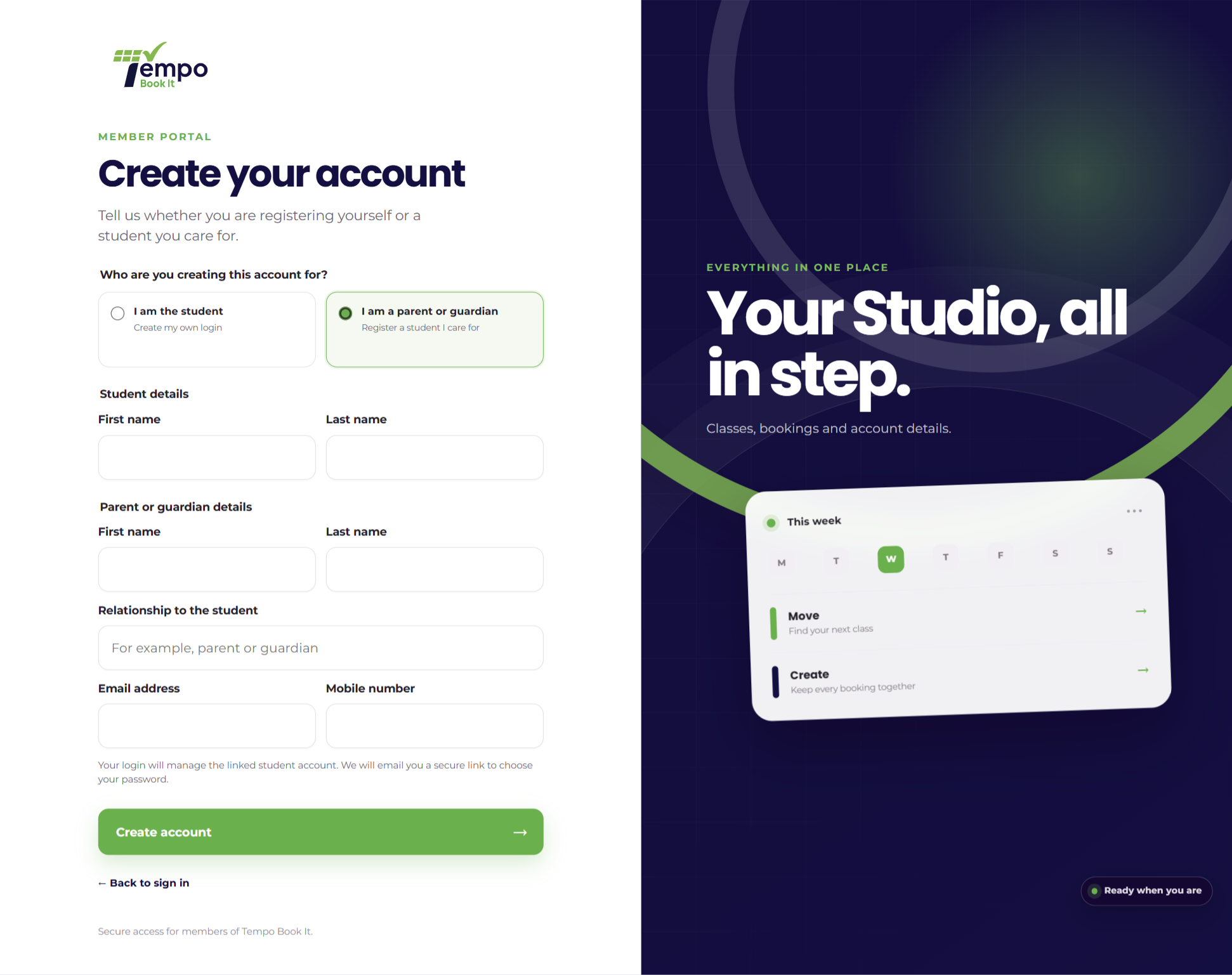
New families need a way in. With the matching theme installed, your site gets a public registration flow; the theme provides the pages and form, and the plugin does the account creation underneath with the same care as everything else.
Your site may use different words. Tempo lets you rename class, student and teacher under Settings → Branding & vocabulary; these docs use the defaults.
What a new family can register as
Two shapes, matching the account model:
- Independent student: one account, their own email and password. For adult members.
- Parent or guardian: a parent account with a real email, plus their child created as a parent-managed student (no login of their own), linked from the moment of creation. The parent's name, relationship and mobile are written straight into the child's protected profile fields, encrypted like everything sensitive.
The safety properties
Worth knowing, because self-registration is where a lesser system grows holes:
- The set-password email only goes out once the *whole* registration has succeeded; if creating or linking the child fails, every account created by that attempt is rolled back. No half-registered families to clean up.
- Public registration can create and link only its own brand-new records. It can never attach an existing account, so nobody can claim someone else's child by typing the right name; existing records are linked only by your office (Linking parents and children).
- New members meet the photo consent step at first sign-in like everyone else, and profile completeness still gates online booking, so self-registered families end up exactly as complete as office-created ones.
Without the matching theme
There's no plugin-provided public registration form; that's deliberate, since a form is exactly the kind of thing sites want in their own design. Your options: use the matching theme; have your web designer build a form on the plugin's registration bridge (documented in For Developers); or run office-created accounts only, which plenty of clubs prefer anyway; families ask, you create (Add new students).
However families arrive, the end state should look the same in the directory: parent linked, child's profile complete, photo answer on file. That's your "member is properly set up" checklist in one row.
Thanks. That helps us improve these guides.
Thanks for letting us know. Ask us on the Support page and we'll help directly.