

Browse docs
The first-login wizard and photo consent
The one-time wizard members meet at first sign-in, and how signed photo permission works.
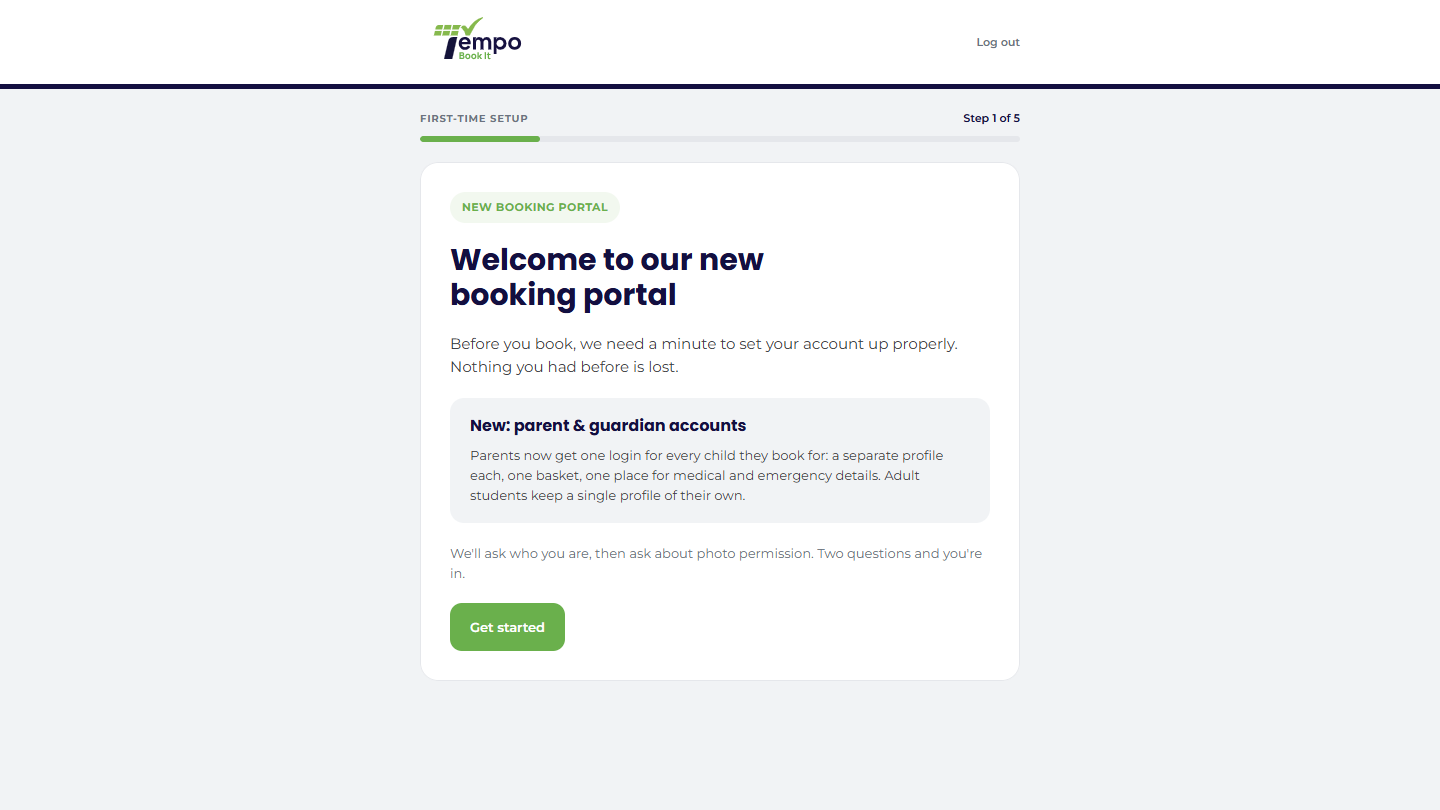
The first time a member account reaches the booking page, it may meet a one-time, full-screen setup wizard (not to be confused with the admin setup wizard you ran at install). It does two jobs, and skips either when it doesn't apply, so an account with nothing outstanding never sees it at all.
Your site may use different words. Tempo lets you rename class, student and teacher under Settings → Branding & vocabulary; these docs use the defaults.
Job one: is this a parent or a student?
For clubs migrating from an older system where a child's account ran on the parent's email, the wizard asks who's actually signing in, and converts the account properly there and then: parent identity, children named and linked, history preserved. A parent switching an account over can also choose a new sign-in email on the same screen, useful for anyone who joined the old system on a secondary address because it refused duplicates. The details of what conversion does live in Converting legacy accounts; brand-new clubs with no legacy accounts will simply never see this question fire.
Job two: photo permission
Every account is asked for a signed photo consent answer, per child: yes or no, the agreed uses, and a drawn or typed signature. Answers are appended, never overwritten, so the club can always show what was agreed and when; a family can answer differently for different children; and saying no makes no difference to anyone's place in class.
Signatures are stored protected: never in the media library, never guessable by URL, and only served to the signer, their linked parent, or staff who manage accounts.
Members can change their answer any time from My Account → Photo permission, which uses the same signed form.
The rules of the wizard
- Nobody is asked twice, and it can't be replayed once finished.
- Until it's finished, the account is sent to the booking page after sign-in and can't add a booking to checkout; the wizard has to be dealt with, which is the point.
- It takes over the whole window with its own minimal chrome (logo and log-out only), so members aren't distracted mid-consent.
Your controls
Under Tempo → Settings → First time accounts each question has its own toggle. Switching one off *defers* it rather than answering it: nobody gets quietly marked as done, and turning it back on asks anyone who never went through. Separately, Settings → My Account has the site-wide "Do you need to ask your students for photo permission?" switch; turning the whole feature off removes the Photo permission tab and the wizard's photo question together, while keeping any answers already on file.
New club, no legacy accounts, and you do want photo consent? Leave the photo question on and the conversion question on too; it costs nothing (accounts that don't need it never see it) and covers you if you later import members from elsewhere.
Thanks. That helps us improve these guides.
Thanks for letting us know. Ask us on the Support page and we'll help directly.