

Browse docs
Price overrides, fixed-package mode and minimum sessions
Give one class its own prices, choose how late joiners are charged, and stop tiny "packages".
The defaults suit most clubs: prices from the duration product, late joiners pay for what's left, packages need at least two sessions. This article covers the three dials when your club works differently.
Your site may use different words. Tempo lets you rename class, student and teacher under Settings → Branding & vocabulary; these docs use the defaults.
Per-class price overrides
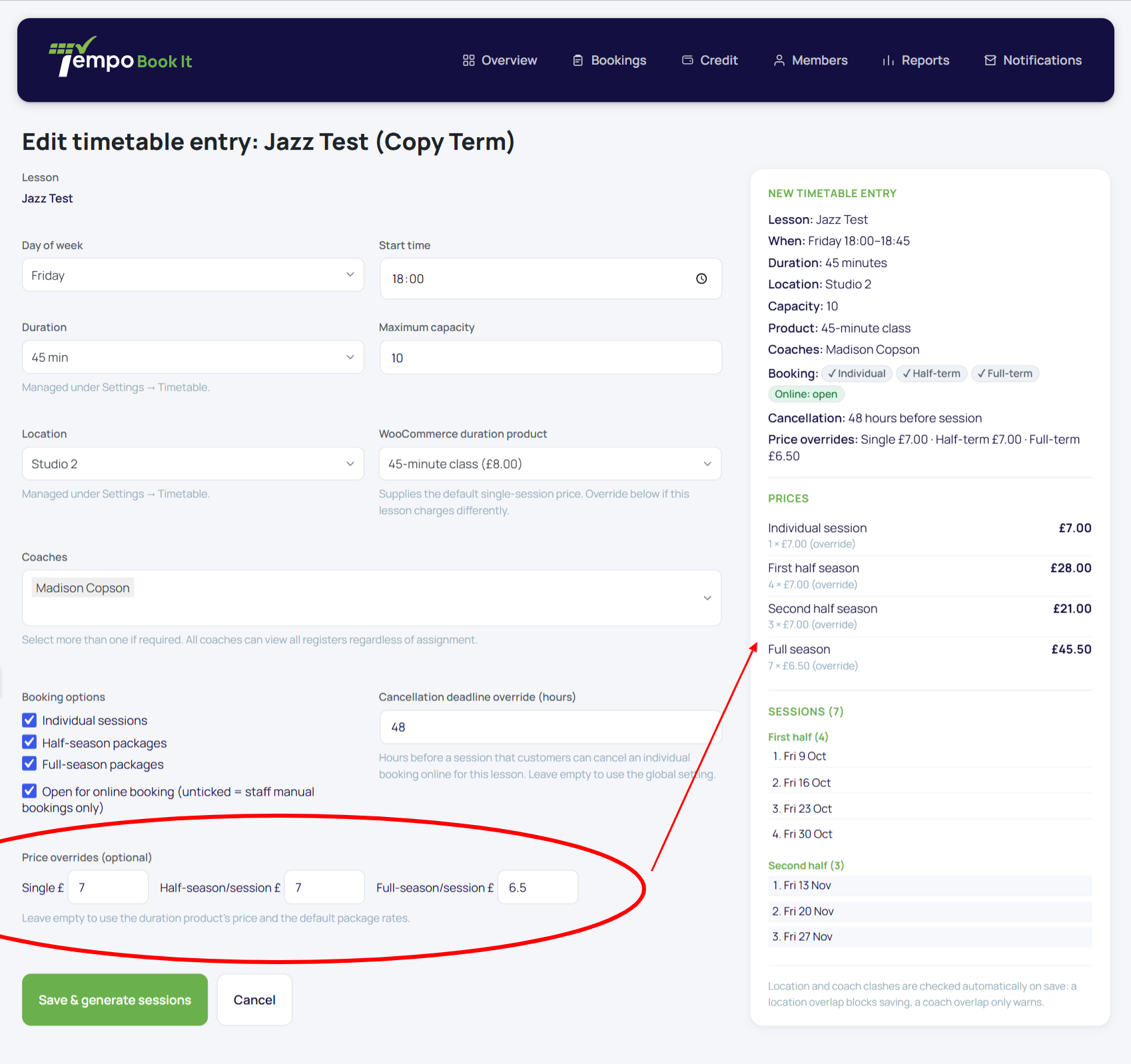
Any timetable entry can override any of its three rates for that class only, leaving the duration product and every other class untouched. Set them on the entry in Tempo → Timetable.
For each rate, Tempo uses the first value it finds:
| Rate | Looked up in this order |
|---|---|
| Single session | class override → product regular price |
| Half-term per session | class override → product half-term rate → single-session rate |
| Full-term per session | class override → product full-term rate → half-term rate |
The fallbacks mean you can be lazy in a good way: a product with only a regular price still prices every option, and an override on just the full-term rate changes nothing else.
Fixed package prices (late joiners)
Tempo → Settings → Package pricing → Fixed package prices. This is a policy choice about students who join after a period has begun:
- Off (default): a late joiner pays rate × the *remaining* sessions. Fair-by-the-session, and the obvious choice for most clubs.
- On: a late joiner pays the full package price (rate × all the period's sessions, including dates already passed), while their booking naturally only includes the remaining dates. Some schools prefer this: the package price is a fixed commitment to the term, not a per-date sum. The booking and review screens spell out to the member exactly what's included and what the price is, so nobody is surprised.
Choose deliberately and early, and be consistent within a term; switching modes mid-term changes what new bookers pay next to what their classmates paid.
Minimum sessions for a package offer
Tempo → Settings → Package pricing → Minimum sessions. When fewer remaining dates than this would be included, the package option is hidden and members book the leftover dates as single sessions. Default is 2.
It applies in both pricing modes, and it exists for one reason: with two weeks of term left, "full-term package" is a silly thing to sell, and in fixed-price mode it would even be an expensive one. The full-term option's own visibility rule (offered while dates remain in both halves) still applies independently; see Package rates.
Thanks. That helps us improve these guides.
Thanks for letting us know. Ask us on the Support page and we'll help directly.