

Browse docs
Package rates: single sessions, half-term and full-term
What members are offered, how package totals are worked out, and when each option appears.
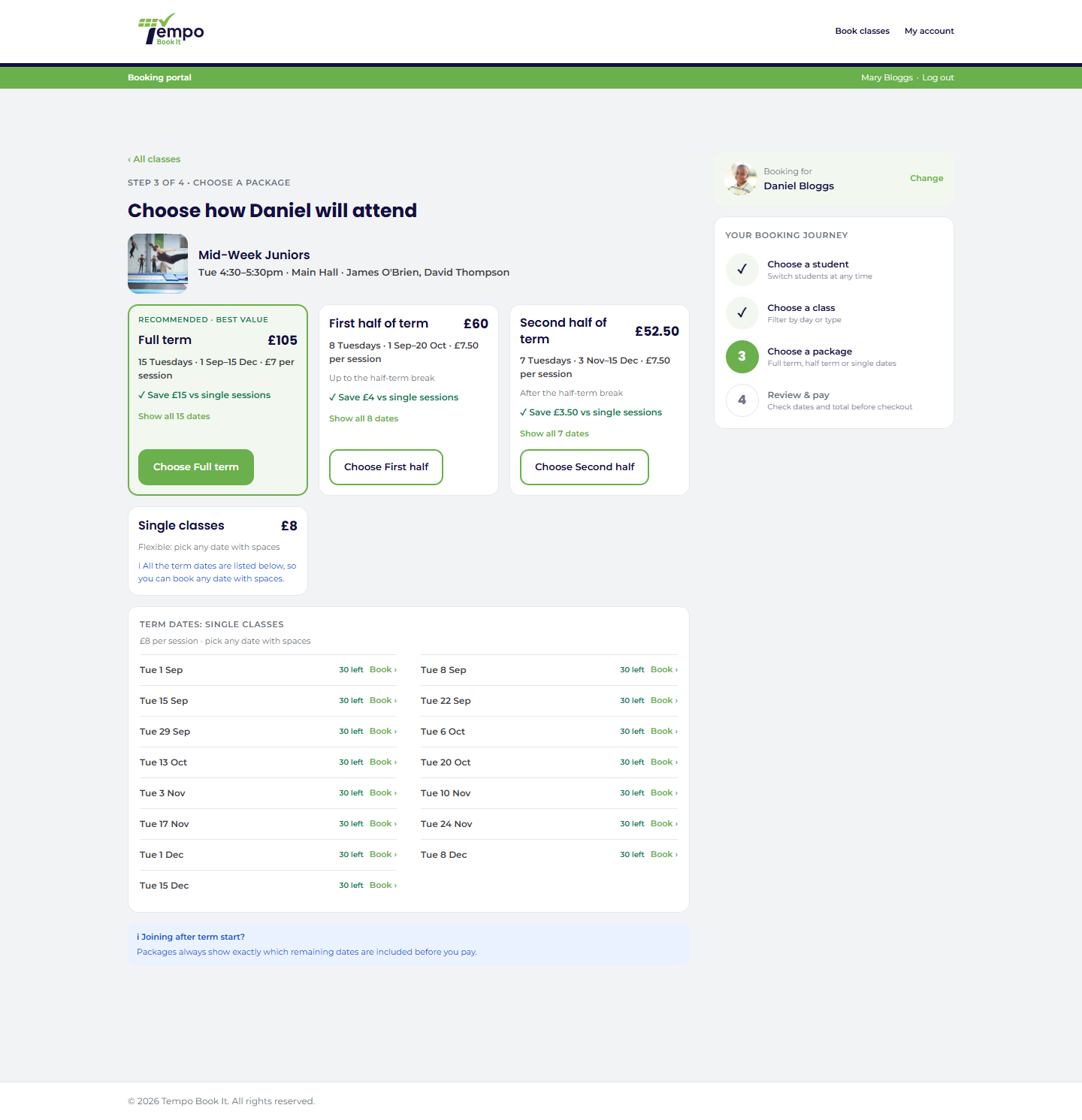
Members can book a class three ways: a single session, a half-term package, or a full-term package. You control which are allowed per class (the timetable entry's allowed booking options), and the prices come from the class's duration product or its overrides.
Your site may use different words. Tempo lets you rename class, student and teacher under Settings → Branding & vocabulary; these docs use the defaults.
How a package total is worked out
Number of charged sessions × the applicable per-session rate. Nothing cleverer than that, which is why a parent can check it in their head:
- Single session: the regular price.
- Half-term package: that half's sessions × the half-term rate.
- Full-term package: the whole term's sessions × the full-term rate.
By default a member joining after a period has started is only charged for the remaining sessions; the alternative "everyone pays the full package price" mode is covered in Price overrides and package modes.
When each option appears
Tempo only offers what makes sense on the day, so members never see a package that can't be delivered:
- Half-term packages require the term to have a half-term break set; the break is what defines the two halves. A term without one simply never offers half-term options (Creating a term).
- The full-term package is offered while dates remain in both halves of the term. Once the first half is over, the second-half package naturally takes its place.
- Full dates hide packages. If any date included in a package has no spaces left, that package is withdrawn and the full dates are named, so nobody buys a package containing a class they can't attend. Single sessions on the dates that do have spaces remain bookable, where allowed.
- The minimum-sessions rule stops a nearly-finished period being sold as a "package": when fewer remaining dates than your minimum would be included, the package option is hidden and members book the leftover dates as singles. Default minimum is 2; adjustable, see Price overrides and package modes.
What members see
Prices are shown per option on the booking step, with the included dates listed at review, so what's bought is explicit before payment. On the order and in emails the line is named after the class, "Saturday Juniors, full term", never after your internal product names.
Members with account credit spend it at checkout regardless of which option they chose; credit and package pricing are independent. See How booking credit works.
Thanks. That helps us improve these guides.
Thanks for letting us know. Ask us on the Support page and we'll help directly.