

Browse docs
The audit log
The append-only record of everything: what to find in it, and why nothing can ever be edited out.
Everything significant that happens in Tempo is written to the audit log: bookings and cancellations, credit movements, transfers, register marks and completions, protected-profile views, settings and schedule changes, with who did it and when. It's the answer to "what happened here?", months later, with certainty.
Your site may use different words. Tempo lets you rename class, student and teacher under Settings → Branding & vocabulary; these docs use the defaults.
What an entry holds
When, the event, the affected record (deep-linked to its screen), the related order where there is one, the actor (a named person, or "System" for scheduled jobs), the previous → new value change where applicable, and the reason that was given (price overrides, bulk actions and credit adjustments all require one, which is why they all read sensibly here later).
Where to read it
- Reports → Audit history: the full trail, filterable by event family, exact event, record, person and date range, paginated.
- On each booking's detail screen: the same trail scoped to that booking and its package group; the biography of one booking.
- Elsewhere in context: a student's page shows their history, and the dashboard's session-changes tile lands on the matching audit view.
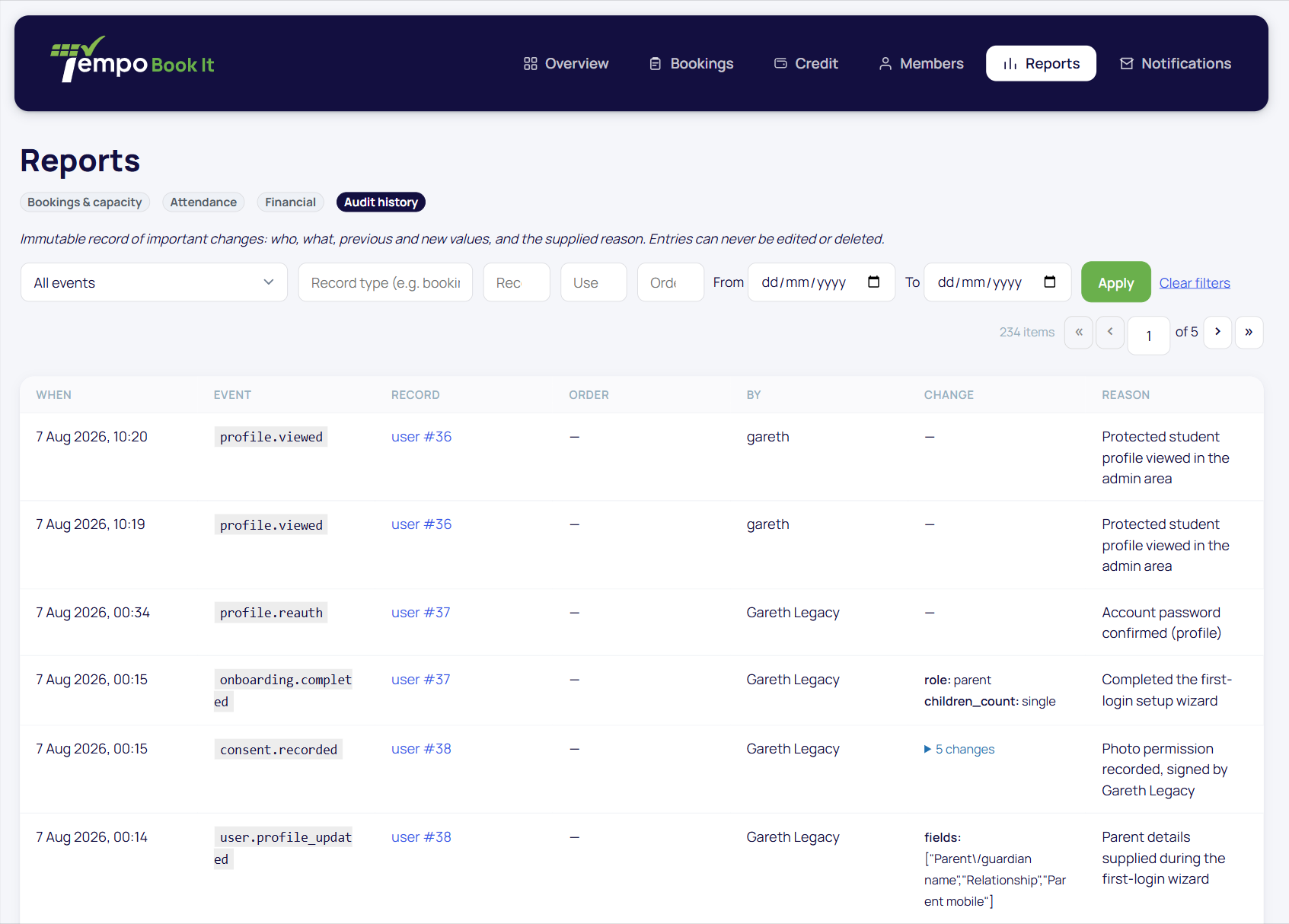
Append-only means append-only
There is no edit button, no delete button, and no code path that could do either; the log can only ever grow. That's a feature you can state to a committee or an auditor as fact. Corrections happen the honest way: a new action, itself logged, so the record shows the mistake and the fix, attributed and timestamped.
Two privacy properties matter as much as the completeness: profile *views* are logged by name (so access to sensitive data is itself accountable), while profile *edits* record which fields changed but never their values; medical and contact details can't leak into the log itself.
When you'll be glad it exists
A parent disputes a cancellation ("I never cancelled"): the entry shows who, when, from which action. A committee asks who changed the summer prices: named, dated. A safeguarding review asks who has viewed a child's details this year: listed. None of these are hypothetical for a real club, and each is a two-minute filter here rather than an archaeology project.
Thanks. That helps us improve these guides.
Thanks for letting us know. Ask us on the Support page and we'll help directly.