

Browse docs
Duplicating classes, terms and timetables
Set up next term in minutes by copying this one, timetable and all.
Once your first term is built, you should never build one from scratch again. Everything duplicable lands on a prefilled Add form, and nothing is created until you save, so you adjust the dates first and sessions are only ever generated for the corrected version.
Your site may use different words. Tempo lets you rename class, student and teacher under Settings → Branding & vocabulary; these docs use the defaults.
Duplicate a term (the big one)
The end-of-term ritual, in one action:
- On Tempo → Terms, use the Duplicate row action on the finishing term.
- An Add term form opens, prefilled with the source's dates, half-term break and exclusions, with "(copy)" on the name. Change the name and shift the dates to the new term.
- Old exclusion dates that fall outside the new term's range are caught by validation, which walks you through fixing each one, so last term's show weekend can't haunt this term's calendar.
- Leave "Copy the timetable from …" ticked (it is by default) and every active timetable entry comes across: days, times, locations, capacities, pricing, teachers. Saving creates the term, copies the timetable and generates all its sessions in one go. Untick it to create the term empty instead.
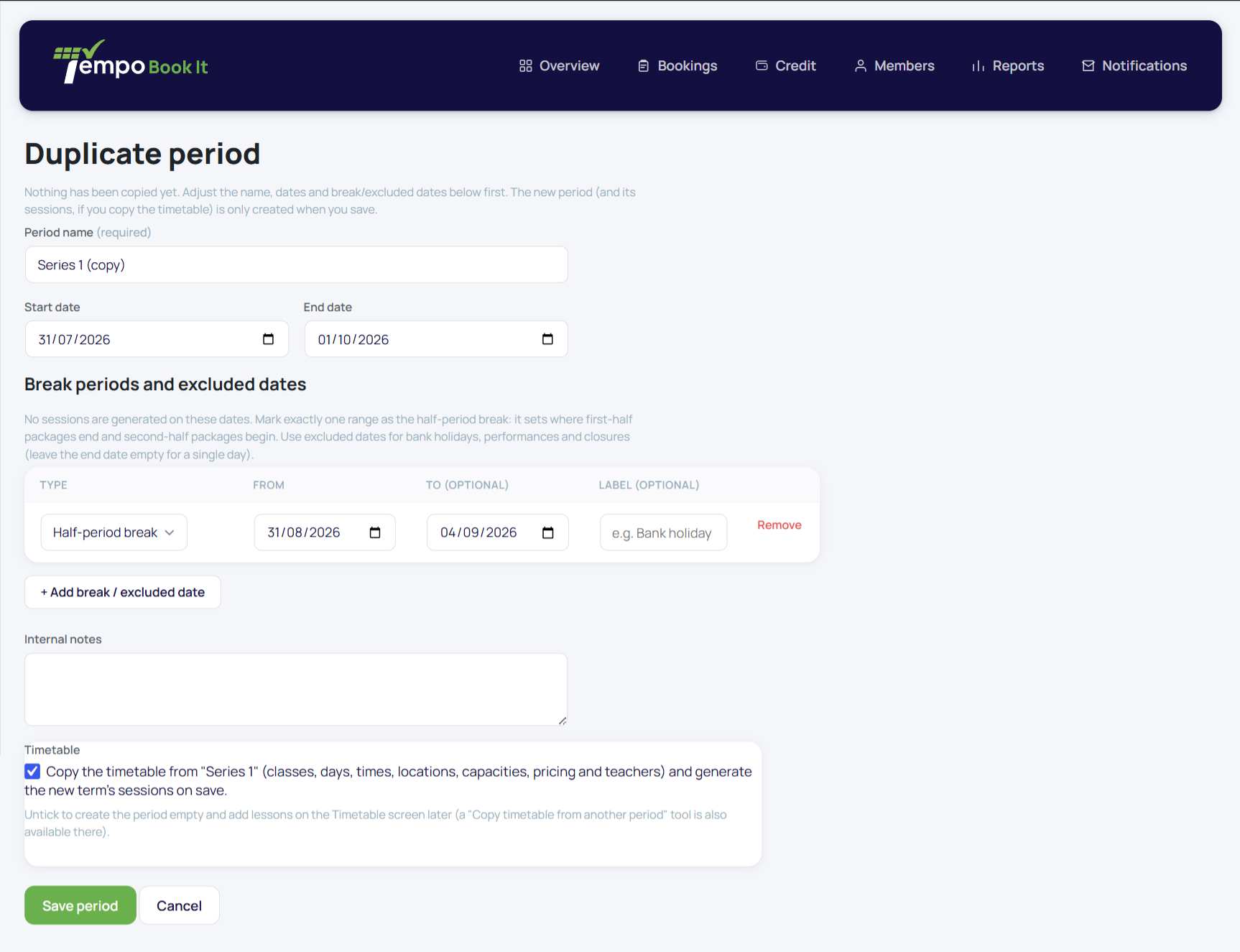
After the copy, walk the new term's Timetable screen once with fresh eyes: bump any prices for the new term, adjust capacities, and check teachers are still right. Copying is faithful; it copies last term's decisions too.
Copying brings the *weekly* timetable only. Extra sessions are never copied into the new term: a one-off belongs to its dates, so if next term needs its own workshop, create it fresh on the right dates.
Copy a timetable between existing terms
Already created the new term by hand? The "Copy timetable from another term" box at the bottom of the Timetable screen does the same copy into the term you're viewing. Classes already scheduled in the destination are skipped rather than duplicated, and sessions generate immediately.
Duplicate a class
A row action on Tempo → Classes, for when a new class is a close cousin of an existing one ("Saturday Juniors B"). It opens Add class prefilled from the source with a "(copy)" name. Save it, then give it a timetable entry; duplicating a class doesn't schedule it anywhere by itself.
Everything is audited
Term creation, class creation and deletion, timetable copies and any sessions flagged for resolution are all written to the audit log, so you can always reconstruct who set up what and when. See The audit log.
Thanks. That helps us improve these guides.
Thanks for letting us know. Ask us on the Support page and we'll help directly.