

Browse docs
Staff notifications and the recipient matrix
Decide which staff hear about which events, per person, in one grid.
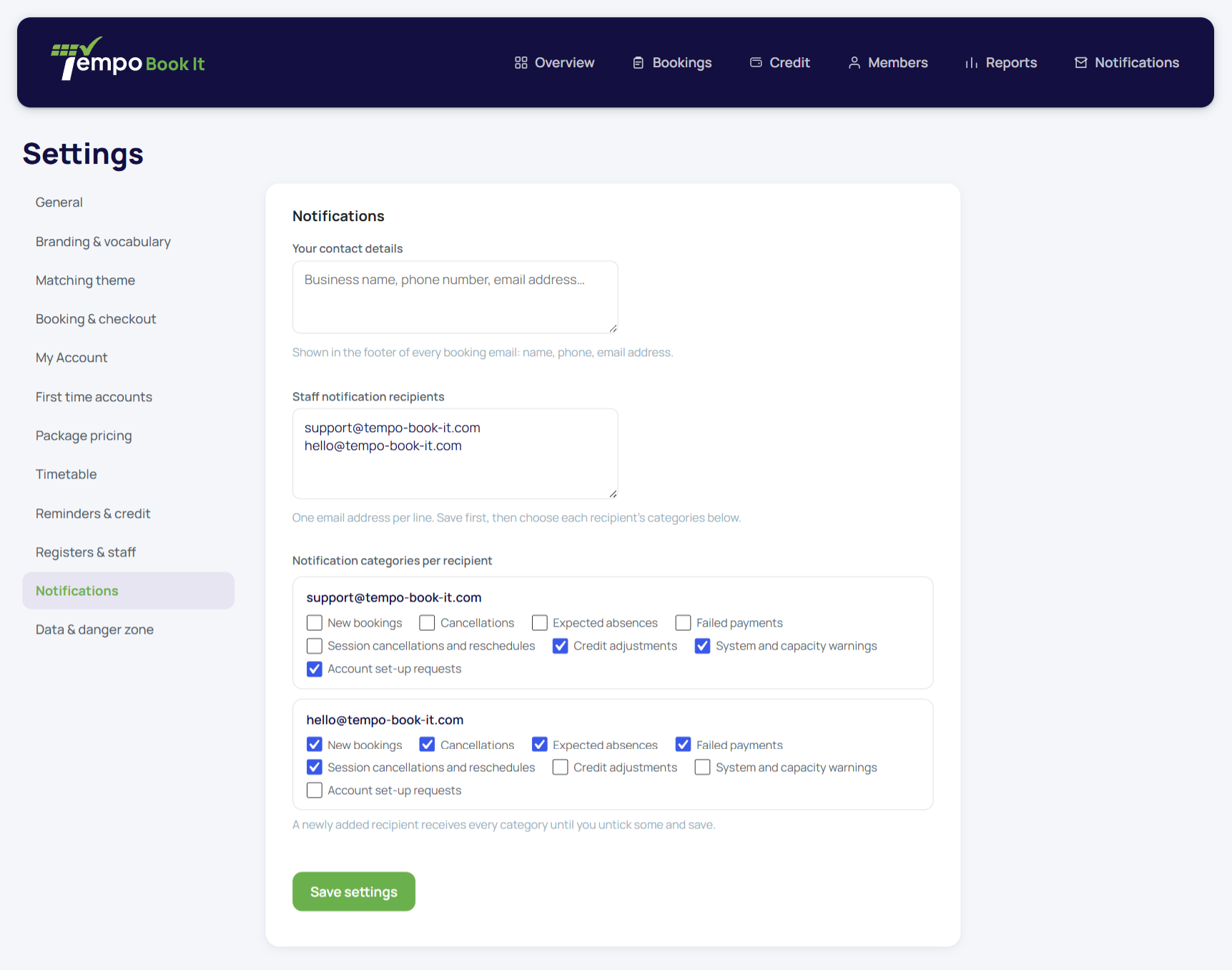
The office needs to know what's happening without everyone drowning in everything. Under Tempo → Settings → Notifications you keep a staff recipient list, and against each person a category matrix: tick which kinds of event reach them.
Your site may use different words. Tempo lets you rename class, student and teacher under Settings → Branding & vocabulary; these docs use the defaults.
The categories
- New bookings: every confirmation, as a staff-worded copy ("Jo has booked Amelia onto…").
- Cancellations: member-initiated cancellations.
- Expected absences: absence reports and their reversals.
- Failed payments: a card declined on an order; members get nothing from Tempo for these (checkout already told them), so this category is how the office knows to follow up.
- School changes: your own cancellations, reschedules and transfers; one summary copy per send.
- Credit: credit issued or adjusted, and refund records.
- Account requests: a parent has named children who need matching (the Requests queue).
- System: the housekeeping category for administrative notices.
A recipient with no saved row receives everything, so new recipients fail towards informed rather than ignorant; prune from there.
Sensible splits that work in practice
A treasurer on failed payments and credit only; front-of-house on new bookings, cancellations and absences; the owner on school changes and account requests, plus whatever they can't bear to miss. The point of per-recipient control is that "the office" isn't one inbox, and the person chasing declined cards doesn't need forty booking confirmations a day.
Staff copies are ordinary logged sends like everything else, and the same address never gets duplicate copies; a staff member who is *also* a parent at the club gets one copy of anything both roles would earn them.
What staff notifications are not
They're notifications, not tasks. Nothing here requires action inside the email, and everything referenced (the booking, the order, the request) is one click away in its proper screen, where the real work happens with the full context and the audit trail.
Thanks. That helps us improve these guides.
Thanks for letting us know. Ask us on the Support page and we'll help directly.