

Browse docs
The first-time setup wizard
The two-minute form that teaches Tempo your club's vocabulary and offers the matching theme.
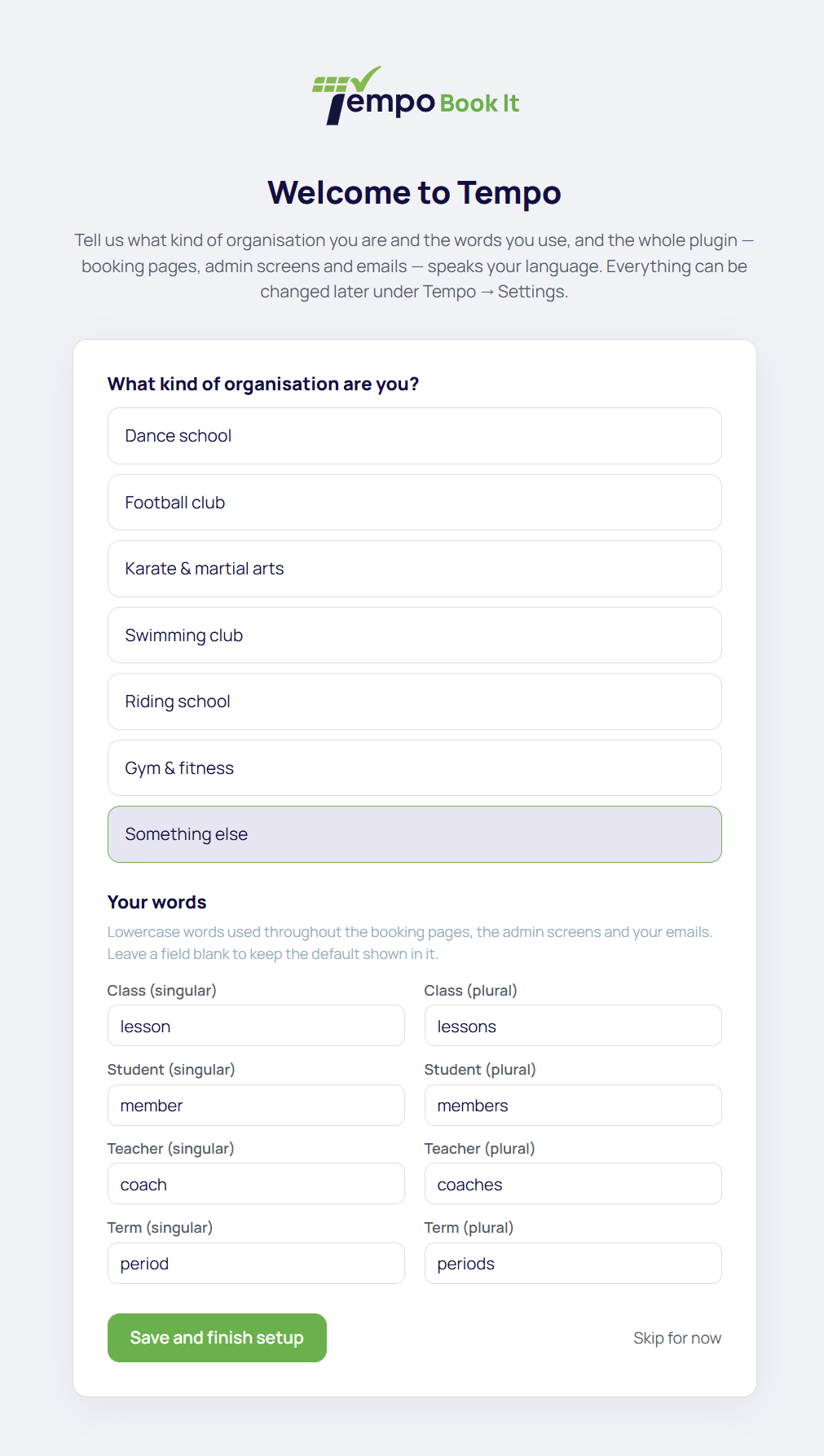
On a fresh install, activating Tempo Book It takes you straight into a full-screen setup wizard. It asks one thing that matters: what should Tempo call things on your site?
The industry preset
Pick the closest match to your club: dance school, football club, karate and martial arts, swimming club, riding school, gym and fitness, or something else. The preset simply prefills the vocabulary fields below it; nothing else about your choice is stored, and you can override any field it fills.
The vocabulary fields
This is Tempo's signature trick. The words *class*, *student* and *teacher* (and their plurals and related terms, eight fields in all) are settings, not fixed labels. A football club can say *training session*, *player* and *coach*; a swim school can say *swim session*, *swimmer* and *instructor*. Every screen, button and email follows your choice, so a parent booking with your club never sees a word that doesn't sound like your sport.
Leave any field blank to keep the default. Everything here can be changed at any time later under Tempo → Settings → Branding & vocabulary, which is also where your business name, brand colours and logo live; the wizard deliberately keeps itself short and leaves those for later. See Branding & vocabulary.
The matching theme offer
If your site isn't already running the matching theme, the wizard offers to install and activate it with one tick.
- On a brand-new site still running a stock WordPress theme, the box is pre-ticked; there's no designed front end to lose.
- On a site already running a theme someone chose, the box is unticked. Finishing setup will never switch a designed site's theme without you asking it to.
More on what the theme adds in Installing the matching theme.
Skipping, and coming back
Skip for now is always available. Until setup is finished, a "Finish setup" reminder banner appears on Tempo's admin screens; completing the wizard clears it. There's no penalty to skipping; everything the wizard sets is an ordinary setting you can fill in later.
The wizard is a plain, single form. It works without JavaScript, and there's no way to lose data by leaving it halfway; nothing is saved until you finish.
Thanks. That helps us improve these guides.
Thanks for letting us know. Ask us on the Support page and we'll help directly.